v1.10.5

Create a Timeline

When creating custom content, digital scholars may want to build a timeline to accompany their narrative and visualize events chronologically.

The <Timeline> component provides a vertical, time-scaled view of events, positioning them relative to one another within a defined date range. Closely occurring events remain clustered, while larger temporal gaps are clearly represented. When you want evenly spaced beats regardless of dates, switch to scale="uniform" so each point receives equal vertical space while still showing its timestamps.

This guide walks through building a timeline from scratch using the <Timeline> component.

1. Add the Timeline wrapper

Start with a <Timeline> element. Give it a title, description, and height to control the visible portion of the scrollable timeline:

<Timeline  title="Frederick Douglass: Escape and Early Freedom, September 1838"  description="Douglass escaped, traveled north, and settled in New Bedford, Massachusetts."  height="300px">  {/* Points go here */}</Timeline>

Frederick Douglass: Escape and Early Freedom, September 1838

Douglass escaped, traveled north, and settled in New Bedford, Massachusetts.

2026 – 2027

2. Add TimelinePoints

Inside the <Timeline>, add a <TimelinePoint> for each event. Every point needs a date and title. Add a summary to give readers more context:

<Timeline  title="Frederick Douglass: Escape and Early Freedom, September 1838"  description="Douglass escaped, traveled north, and settled in New Bedford, Massachusetts."  height="300px">  <TimelinePoint    date="1838-09-03"    title="Escape from slavery"    summary="Escapes north by train and boat from Maryland."  />  <TimelinePoint    date="1838-09-15"    title="Marriage to Anna Murray"    summary="Marries Anna Murray in New York City."  />  <TimelinePoint    date="1838-09-18"    title="Arrival in New Bedford"    summary="Settles in Massachusetts and adopts the name Frederick Douglass."  /></Timeline>

Frederick Douglass: Escape and Early Freedom, September 1838

Douglass escaped, traveled north, and settled in New Bedford, Massachusetts.

1838

1838Escape from slaveryEscapes north by train and boat from Maryland.
1838Marriage to Anna MurrayMarries Anna Murray in New York City.
1838Arrival in New BedfordSettles in Massachusetts and adopts the name Frederick Douglass.

3. Highlight key events

Mark pivotal moments with the highlight prop. Highlighted points render in your theme's accent color:

<TimelinePoint  date="1838-09-03"  title="Escape from slavery"  summary="Escapes north by train and boat from Maryland."  highlight/>

Frederick Douglass: Escape and Early Freedom, September 1838

Douglass escaped, traveled north, and settled in New Bedford, Massachusetts.

1838

1838Escape from slaveryEscapes north by train and boat from Maryland.
1838Marriage to Anna MurrayMarries Anna Murray in New York City.
1838Arrival in New BedfordSettles in Massachusetts and adopts the name Frederick Douglass.

4. Color-code categories

Use timelineKey when you want the timeline to double as a legend. Provide {id, label} pairs on <Timeline> and set the matching key on each <TimelinePoint>. Both the connectors and the legend inherit the generated colors.

<Timeline  title="Escape routes and allies"  description="Differentiate milestones and supporting figures."  height="340px"  timelineKey={[    {id: "escape", label: "Escape"},    {id: "allies", label: "Allies"},    {id: "settle", label: "Settlement"},  ]}>  <TimelinePoint    date="1838-09-03"    key="escape"    title="Escape from slavery"    summary="Boards the Philadelphia, Wilmington and Baltimore Railroad."  />  <TimelinePoint    date="1838-09-09"    key="allies"    title="Allies in New York"    summary="Contacts the Vigilance Committee for shelter and funds."  />  <TimelinePoint    date="1838-09-18"    key="settle"    title="Arrival in New Bedford"    summary="Douglass and Anna move into the Johnson household."  /></Timeline>

Escape routes and allies

Differentiate milestones and supporting figures.

1838

1838Escape from slaveryBoards the Philadelphia, Wilmington and Baltimore Railroad.
1838Allies in New YorkContacts the Vigilance Committee for shelter and funds.
1838Arrival in New BedfordDouglass and Anna move into the Johnson household.
  • Escape
  • Allies
  • Settlement

5. Pick your spacing style

Most timelines should keep scale="time" (the default) so the layout reinforces chronology. For editorial or exhibition copy where each milestone deserves equal weight, set scale="uniform" on the wrapper. The dates still render normally—the change only affects spacing.

<Timeline  title="Installation Day"  description="Even pacing for morning, matinee, and evening events."  scale="uniform"  height="360px">  <TimelinePoint date="2024-05-01" title="Uncrate" summary="Art handlers stage works for review." />  <TimelinePoint date="2024-06-14" title="Lighting focus" summary="Finalize the sightlines for each gallery." />  <TimelinePoint date="2024-09-02" title="Opening" summary="Ribbon cutting with donors and press." /></Timeline>

Installation Day

Even pacing for morning, matinee, and evening events.

2024

2024UncrateArt handlers stage works for review.
2024Lighting focusFinalize the sightlines for each gallery.
2024OpeningRibbon cutting with donors and press.

While you're adjusting the wrapper, consider whether the vertical spine should stay centered or hug an edge. Set align="left" (or "right") to slide the spine flush against that side so every card fills the opposite column—handy for narrow layouts or when you have long copy that benefits from consistent alignment. Passing align overrides each point's side prop, so you only need to set it once.

6. Relate events to works in your collection

Connect a point to related works in your collection with referencedManifests:

<TimelinePoint  date="1838-09-03"  title="Escaping re-enslavement"  summary="Following the publication of his first autobiography, Douglass spent nearly two years in the British Isles, gaining international support and legally purchasing his freedom."  referencedManifests={[    "https://api.dc.library.northwestern.edu/api/v2/works/20f1cd93-7851-4646-af07-0b544661569f?as=iiif"  ]}/>

Frederick Douglass in 1845: Narrative, Flight, and Transatlantic Activism

Publication, increasing danger, and the beginning of Douglass’s British and Irish lecture tour.

June 1, 1845 – October 31, 1845
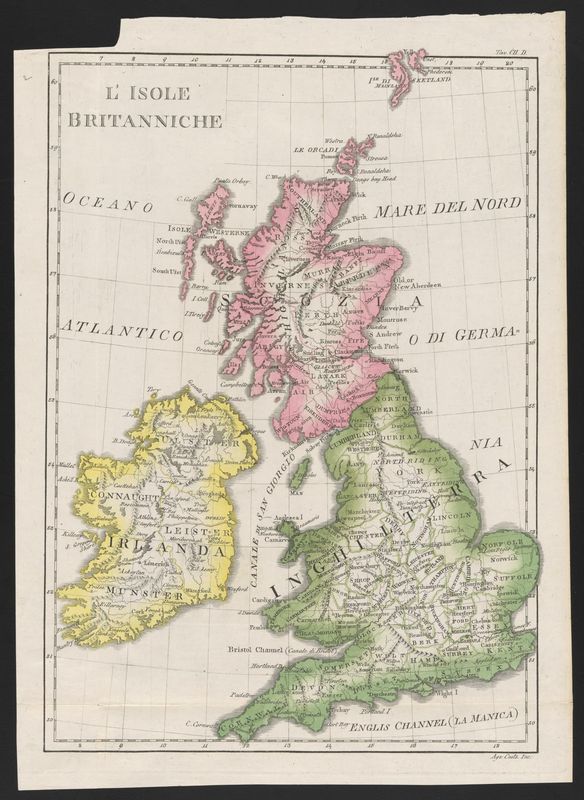
August 6, 1845Departs the United StatesLeaves for England to avoid recapture as a fugitive and to strengthen the antislavery cause abroad.
August 7, 1845Sails on the CambriaTravels to Great Britain aboard the Cunard steamer Cambria and is forced to ride in steerage.

7. Intermix your content with a map

While the <Timeline> component situates events chronologically, many narratives also benefit from geographic context. By intermixing <Timeline> with the <Map> component, the same events can be explored across both time and space.

Add a <Map> with <MapPoints> that closely relate to your previous <TimelinePoint>s.

<Map>  <MapPoint    lat="39.329"    lng="-76.557"    title="Escape from slavery (Sept. 3, 1838)"    summary="Douglass departs Baltimore, traveling north by rail and water routes under constant risk of capture."  />  <MapPoint    lat="40.7128"    lng="-74.0060"    title="Marriage to Anna Murray (Sept. 15, 1838)"    summary="Douglass marries Anna Murray in New York City, shortly after arriving as a fugitive."  />  <MapPoint    lat="41.6362"    lng="-70.9342"    title="Arrival in New Bedford (Sept. 18, 1838)"    summary="Douglass and Anna settle in New Bedford, Massachusetts, where he begins working and soon adopts the name Frederick Douglass."  /></Map>
Loading map…

Learn More

See the full Timeline component reference for all available props.

The Map component is covered more fully in the Enable a Map with navPlane guide.